
No combination of 0 or 1 for these setting is giving me a different result. i walk up to the mission and still get "press [E}"change "usePS3Prompts" value to 0

You are using an out of date browser. It may not display this or other websites correctly.
You should upgrade or use an alternative browser.
You should upgrade or use an alternative browser.
Saints Row 2 Juiced Patch
- Thread starter Soaa
- Start date

No combination of 0 or 1 for these setting is giving me a different result. i walk up to the mission and still get "press [E}"
so which input type do you want to see? I thought you want PC version and not PS3 and you said you got "press [E]" which is PCHave an issue where inputs are showing keyboard prompts and not PS3 prompts.
I said its showing keyboard prompts and not ps3 prompts.so which input type do you want to see? I thought you want PC version and not PS3 and you said you got "press [E]" which is PC
I want ps3 prompts.
At this point I'll settle for xbox prompts
my settings on juiced.ini:I said its showing keyboard prompts and not ps3 prompts.
I want ps3 prompts.
At this point I'll settle for xbox prompts
usePS3Prompts=1
ForceInputPrompt=0
my Steam controller settings is "use default settings", but you can try "disable steam input"

usePS3Prompts is debug leftover, you need to force it from the settings as you can pick up the image type
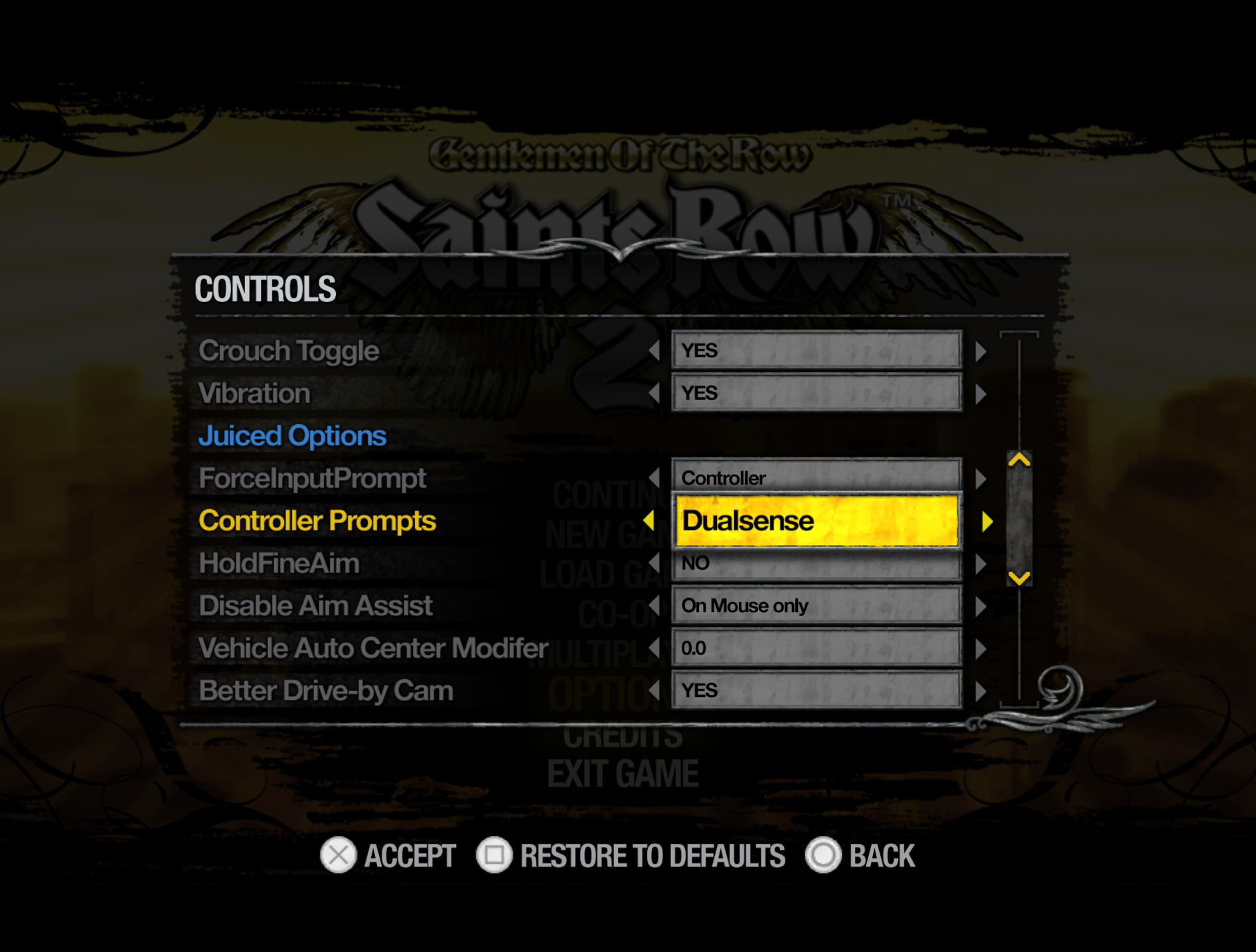
excuse me guys, how do i do that? i can't seem to do that no matter what i try
You should actually increase the memory pool rather than disabling the popup

I apologize for the late reply, try turning off or on UseFixedXAudio in the juiced.ini config.I can't get the game to start and I have no idea why. Any idea from the log?
turn on or off UseFixedXAudio in the juiced.iniPlease help me. First of all, this is a clean install. No mods, no nothing. I used Steam first, Juiced 8.0.2, then it crashes. Then I added DXVK to it. Still crashes. THEN I BOUGHT THE DAMN GAME ON GOG. Guess what?
IT STILL CRASHES!
The error I encountered varied each time:
Seriously, what do I do? Should I used Juiced before patch 8 or what? Is there a stable version yall use when you guys were praising it? And this is my pc.
- Unhandled exception at 0x4AED9AB0 in sr2_pc.exe: 0xC0000005: Access violation reading location 0x4AED9AB0
- Unhandled exception at 0x5C871646 in xactengine3_2.dll (+0x31646): 0xC0000005: Access violation reading location 0x582D15F0
- Unhandled exception at 0x5C8713CD in xactengine3_2.dll (+0x313cd): 0xC0000005: Access violation reading location 0x584F15C8
- Unhandled exception at 0x582C1646 in xactengine3_2.dll (+0x31646): 0xC0000005: Access violation reading location 0x582D15F0
I just wanna play this game. Help me someone. Please.
- RTX 5070 Ti
- 9800X3D
- 32GB RAM
- Windows 11

This is an understandable decision! I've seen the video of the DLC, really impressive stuff.
If people wanted to still be able to access the GOTR/CGOTR experience it would be more stable to have serparate installs of the game, using the option to store savefile in the install dir (especially since you can't mix savefiles anyway).