
You are using an out of date browser. It may not display this or other websites correctly.
You should upgrade or use an alternative browser.
You should upgrade or use an alternative browser.
Saints Row 2 Juiced Patch
- Thread starter Soaa
- Start date

Yeah, of course!Right. I'm just saying, for example: If I wanted to install your "All Tags" mod, COULD I do it with GOTR+Juiced

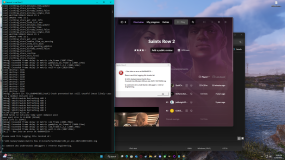

Not sure, worth noting I crash there even without GoTR.I Keep getting this crash on the couthouse cutscene, any idea how to fix?
Best I can do is immediately skip that cutscene (mash Escape)
Thats what i ended up doing im fine so farNot sure, worth noting I crash there even without GoTR.
Best I can do is immediately skip that cutscene (mash Escape)
Have you tried disabling Masamaru's HQ Texture Pack? (Just type an "X" into the folder name.)I Keep getting this crash on the couthouse cutscene, any idea how to fix?
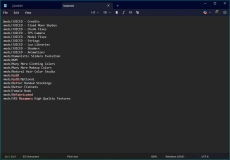
Crash Dump and Log file Included.
View attachment 46420View attachment 46421
It could be that the larger textures are overloading the memory.
This cutscene takes place across two different locations, so it's not out of the realm of possibility.
Not sure if this is specifically Juiced related but I think this is as good place as any to report this. I have a problem with vehicle camera not acting how it's supposed to on PC. The camera does not stay centered on the car's rear, instead its rotation always becomes locked for no reason unless I do an action such as pulling the handbrake. This is normal behaviour in the sense that's how free-look with the mouse or right stick works, but it doesn't go back like it's supposed to after a few seconds and it happens consistently for no reason.
To illustrate, here's the game running on Xenia and how the camera is supposed to work (Note that I have Better Drive By Cam enabled in both scenarios):
All I'm doing in the video is driving the car and looking to the left, and once the camera movement is finished the camera stays locked in that direction for a brief moment until it automatically returns to focus on the car's rear and stay put in the direction of car's movement, normal stuff.
Here's how it works for me on PC:
After a few seconds, the camera's rotation becomes locked for no reason, forcing me to either adjust the camera view back manually (which is annoying) or press the handbrake, which brings the view back and unlocks the camera rotation (for a few moments, before it goes locked again).
I tried tweaking the "VehicleAutoCenterModifier=25" and "vehicle_camera_follow_modifier=1.0" values but they didn't seem to change anything.
To illustrate, here's the game running on Xenia and how the camera is supposed to work (Note that I have Better Drive By Cam enabled in both scenarios):
All I'm doing in the video is driving the car and looking to the left, and once the camera movement is finished the camera stays locked in that direction for a brief moment until it automatically returns to focus on the car's rear and stay put in the direction of car's movement, normal stuff.
Here's how it works for me on PC:
After a few seconds, the camera's rotation becomes locked for no reason, forcing me to either adjust the camera view back manually (which is annoying) or press the handbrake, which brings the view back and unlocks the camera rotation (for a few moments, before it goes locked again).
I tried tweaking the "VehicleAutoCenterModifier=25" and "vehicle_camera_follow_modifier=1.0" values but they didn't seem to change anything.
I'm trying this patch out for the first time and was wondering if anyone can give me some advice with all the settings, as I have no idea what should be enabled or disabled for the best performance results. It would really be appreciated.
My PC is pretty outdated, so if it matters, my specs are:
Intel(R) Core(TM) i5-6400 CPU @ 2.70GHz 2.71 GHz
8.00 GB RAM
NVIDIA GeForce GT 730 (2 GB)
Windows 10
My PC is pretty outdated, so if it matters, my specs are:
Intel(R) Core(TM) i5-6400 CPU @ 2.70GHz 2.71 GHz
8.00 GB RAM
NVIDIA GeForce GT 730 (2 GB)
Windows 10

if the game goes hella laggy with default settings, just use ugly mode (pressing f3 in game)I'm trying this patch out for the first time and was wondering if anyone can give me some advice with all the settings, as I have no idea what should be enabled or disabled for the best performance results. It would really be appreciated.
My PC is pretty outdated, so if it matters, my specs are:
Intel(R) Core(TM) i5-6400 CPU @ 2.70GHz 2.71 GHz
8.00 GB RAM
NVIDIA GeForce GT 730 (2 GB)
Windows 10
Welp, now I'm crashing when trying to start the mission First Impressions, before the cutscene even starts. Here is both the log file from CrashDumps and the debug log file, since I'm not sure which one is needed.