
I made a cleaner tutorial with commentary if you want to give it a look:I feel like I'm going around in circles again.
View attachment 47571
So just to sum up, I've done this.
View attachment 47572
And yet still just end up with an invisible NPC that either warps the entire game, or crashes it completely.
I'm just gonna stop trying to make this mod myself, and hope that someone who knows what they're doing eventually has the time to make it, if they want to.

You are using an out of date browser. It may not display this or other websites correctly.
You should upgrade or use an alternative browser.
You should upgrade or use an alternative browser.
NPC Model Swap assistance
- Thread starter 3rdStreetSaint 212
- Start date

Ok. So that's a lot clearer. I just have 1 question.I made a cleaner tutorial with commentary if you want to give it a look:
Is there any difference between using Gibbed directly, and using Gibbed through Powershell?
Because if the answer is "No", then I've done everything correctly from the first time you told me to use Gibbed for SRTT, and ThomasJepp for SRIV. So it just doesn't work for me. Unless somehow the Mission Replay mod is interfering with the asm file.
I've always used it through powershell.Ok. So that's a lot clearer. I just have 1 question.
Is there any difference between using Gibbed directly, and using Gibbed through Powershell?
Because if the answer is "No", then I've done everything correctly from the first time you told me to use Gibbed for SRTT, and ThomasJepp for SRIV. So it just doesn't work for me. Unless somehow the Mission Replay mod is interfering with the asm file.
While that doesn't really answer my question, it just sounds like I'm not gonna be able to successfully port the Characters from SRIV to SRTT. They're always just gonna turn invisible and break the game.I've always used it through powershell.
Normally I don't like to give up, even when I make a post saying I'm giving up (which usually just ends up being a temporary break so I don't drive myself insane from constant failure), but this seems like a losing battle. I've been given (what essentially seems like) the same instructions to follow repeatedly, and every time I get the same results.
1 Extract SRTT & SRIV Character files (with specific extractors)
2 Rename SRIV Character files to replace with SRTT Character files
3 Repack SRTT Character files
4 Place in Root Directory
5 Update ASM file
6 Load game
And every single time: the Character is invisible, loading missions causes extreme visual glitching, and trying to select the invisible Character in Gang Customization breaks the menus then crashes the game.
I'm stuck in an infinite loop and it's time to make my exit. Thanks for trying to help, but this issue seems to be unsolvable unless you do what you've been doing on your PC, but on my PC instead.
I've had that same issue before. Maybe there are mods that you have that require that asm file. I don't exactly know whether you need to use powershell or not, but I've succeeded with it and never tried dragging and dropping into the tool. You could definitely have the SRIV Reelected edition without realizing and this could cause the issue since for whatever reason, reelected doesn't use the same file version that the legacy does.While that doesn't really answer my question, it just sounds like I'm not gonna be able to successfully port the Characters from SRIV to SRTT. They're always just gonna turn invisible and break the game.
Normally I don't like to give up, even when I make a post saying I'm giving up (which usually just ends up being a temporary break so I don't drive myself insane from constant failure), but this seems like a losing battle. I've been given (what essentially seems like) the same instructions to follow repeatedly, and every time I get the same results.
1 Extract SRTT & SRIV Character files (with specific extractors)
2 Rename SRIV Character files to replace with SRTT Character files
3 Repack SRTT Character files
4 Place in Root Directory
5 Update ASM file
6 Load game
And every single time: the Character is invisible, loading missions causes extreme visual glitching, and trying to select the invisible Character in Gang Customization breaks the menus then crashes the game.
I'm stuck in an infinite loop and it's time to make my exit. Thanks for trying to help, but this issue seems to be unsolvable unless you do what you've been doing on your PC, but on my PC instead.
This is what it says on my Steam page.I've had that same issue before. Maybe there are mods that you have that require that asm file. I don't exactly know whether you need to use powershell or not, but I've succeeded with it and never tried dragging and dropping into the tool. You could definitely have the SRIV Reelected edition without realizing and this could cause the issue since for whatever reason, reelected doesn't use the same file version that the legacy does.
This is the only mod I have installed. I could try deleting it, just to try, but I don't think it interferes.
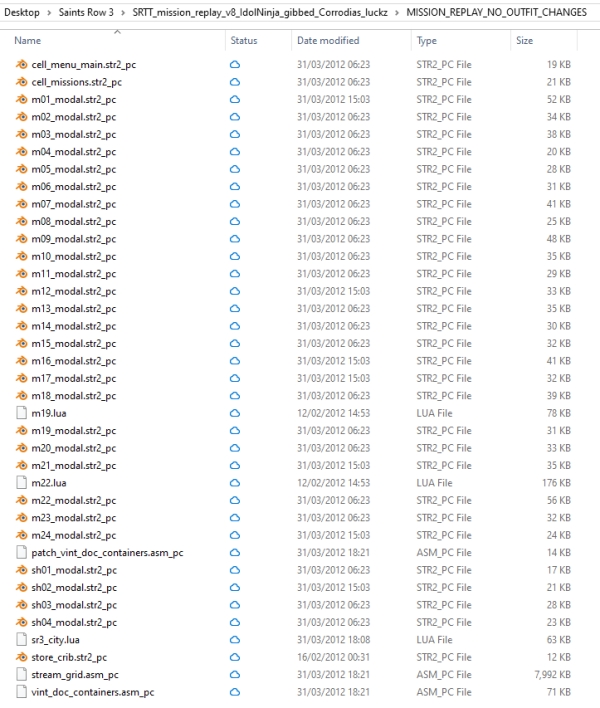
That's definitely not it, I installed Mission Replay and it worked fine. Maybe you're missing a step. If you are doing one character file, make sure you're doing its _high file too. It's also important to have the corresponding asm file inside your main directory with both of those files before you run the bat file I mentioned earlier.This is what it says on my Steam page.
View attachment 47575
This is the only mod I have installed. I could try deleting it, just to try, but I don't think it interferes.
View attachment 47576
Trust me, I've used the same files consistently.That's definitely not it, I installed Mission Replay and it worked fine. Maybe you're missing a step. If you are doing one character file, make sure you're doing its _high file too. It's also important to have the corresponding asm file inside your main directory with both of those files before you run the bat file I mentioned earlier.
Lin
Lin_high
Ella
Ella_high
Character_containers.asm
All Lin sub-files have been renamed with "Ella", the normals go in the normal, the highs go in the high...
Normally a missed step would clicked in my mind by now. I've repeated the process so many times at this point, I could do it with my feet, while blindfolded.
I know you can only guess what the problem could be on my end, without seeing me perform the task in person. So I'll just say to watch your own video from start to finish, and that's exactly what I've been doing since you first told me to use Gibbed specifically for SRTT files.
Which is the only reason I'm currently frustrated. Because if I had been missing a step or doing something wrong, then at least I'd know that it was my fault. But after watching your second video and realising that I'd been doing everyrhing right the whole time, then where's the fault?
There's no cause, and no solution... It just doesn't work.
Unless... How should Viper's Asm updater be installed in the root directory?
Nevermind, I just checked your video. Mine looks identical to yours.
Last edited:
Are you using GibbedTool from here? https://github.com/gibbed/Gibbed.Volition/releases/download/1.0.2/volition-1.0.2-with-symbols.zipTrust me, I've used the same files consistently.
Lin
Lin_high
Ella
Ella_high
Character_containers.asm
All Lin sub-files have been renamed with "Ella", the normals go in the normal, the highs go in the high...
Normally a missed step would clicked in my mind by now. I've repeated the process so many times at this point, I could do it with my feet, while blindfolded.
I know you can only guess what the problem could be on my end, without seeing me perform the task in person. So I'll just say to watch your own video from start to finish, and that's exactly what I've been doing since you first told me to use Gibbed specifically for SRTT files.
Which is the only reason I'm currently frustrated. Because if I had been missing a step or doing something wrong, then at least I'd know that it was my fault. But after watching your second video and realising that I'd been doing everyrhing right the whole time, then where's the fault?
There's no cause, and no solution... It just doesn't work.
Unless... How should Viper's Asm updater be installed in the root directory?
Nevermind, I just checked your video. Mine looks identical to yours.
No. Gibbed tools Rev 96. It was literally the only one I could find
YEEEEEEEEEEEEEEEEEES!!!
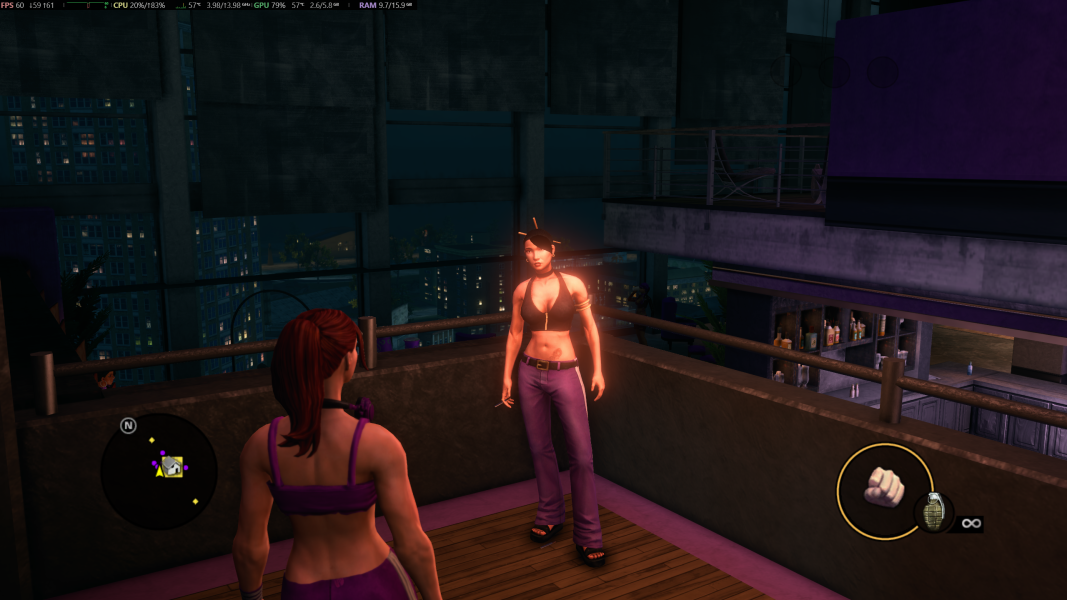
I am an idiot! I've never felt so happy! Thank you for all your help! Now I'm off to let my imagination run wild with possibilities!
YEEEEEEEEEEEEEEEEEES!!!
I am an idiot! I've never felt so happy! Thank you for all your help! Now I'm off to let my imagination run wild with possibilities!
Last edited: