Hi I need help I have the saints row 2 game on steam and I need help with installing th juiced patch and the gentleman , I have a desktop that was given to me and it runs Linux and I don’t go that runs so it makes it even more confusing for me on top so really need help installing the mods

You are using an out of date browser. It may not display this or other websites correctly.
You should upgrade or use an alternative browser.
You should upgrade or use an alternative browser.
Saints row 2 mod installing help
- Thread starter Mjk987
- Start date

It should be same on any platform, as long the game runs when you click "Play" on steam (you can get to main menu, unmodded).
If it crashes when pressing Play on steam, you need to fix that first.
First, download Juiced Patch from Github (SR2_JUICED.zip):

 github.com
Then, follow the instruction from Juiced Patch thread:
github.com
Then, follow the instruction from Juiced Patch thread:

There should be a Juiced Patch pop-up appearing when you open the game when it is installed properly.
If this doesn't appear and you already put files to the correct place, run SteamXDel.bat in the Saints Row 2 folder - If I remember, this applies the patch to the .exe if it hasn't already.
For installing Gentlemen Of The Row with Juiced Patch, it's a bit harder but there is a tutorial on how to do it.
If you are stuck on this step, post on that thread on what you need help with.
If it crashes when pressing Play on steam, you need to fix that first.
First, download Juiced Patch from Github (SR2_JUICED.zip):
Releases · kobraworksmodding/Saints-Row-2-Juiced-Patch
The official public repository / source code for Saints Row 2 Juiced Patch - kobraworksmodding/Saints-Row-2-Juiced-Patch
github.com
By "game files", in steam you can get it by right clicking Saints Row 2 on Steam > Manage > Browse Local FilesHOW TO INSTALL
Simply drag all of the contents in the zip file of the Juiced Patch version you just installed (besides readme.txt) into your Saints Row 2 Game Files, edit and configure juiced.ini, run your game. Its as simple as that.
There should be a Juiced Patch pop-up appearing when you open the game when it is installed properly.
If this doesn't appear and you already put files to the correct place, run SteamXDel.bat in the Saints Row 2 folder - If I remember, this applies the patch to the .exe if it hasn't already.
For installing Gentlemen Of The Row with Juiced Patch, it's a bit harder but there is a tutorial on how to do it.

PRELUDE:
Juiced Patch v7.1.0 revolutionised the way mods are installed for Saints Row 2. Installing mods is now as simple as dropping files into the "mods" folder. However, some older mods were built specifically with Gentlemen Of The Row in mind.
GotR was not only a collection of mods, but also for a long time was the main method of installing mods into the game, by inserting files into, then rebuilding, "patch.vpp_pc" via a batch file ("Create_Custom_GotR_v1.9.2.bat").
This worked well for a long time, but now some complications can arise...
Juiced Patch v7.1.0 revolutionised the way mods are installed for Saints Row 2. Installing mods is now as simple as dropping files into the "mods" folder. However, some older mods were built specifically with Gentlemen Of The Row in mind.
GotR was not only a collection of mods, but also for a long time was the main method of installing mods into the game, by inserting files into, then rebuilding, "patch.vpp_pc" via a batch file ("Create_Custom_GotR_v1.9.2.bat").
This worked well for a long time, but now some complications can arise...
- -SeaboundSaint-
- beginners gentleman of the row gentlemen of the row gotr guide installation juiced juiced patch modding tutorial
- Replies: 45
- Forum: Saints Row 2


Last edited:
You are posting on this site OK, so I think it shouldn't be a problem. Web browsing (Chrome, FIrefox) is the same.
It depends on what kind of Linux you are using, but if you are using Linux Mint (the one that kind of looks like Windows), it should be the same process.
The only difference is the Extract process - when you download SR2_JUICED.zip, just click the Download in your Chrome or FIrefox (web browser), then press the Extract button.
It will ask you where you want to extract it.
Copy the location of the SR2 folder (usually text in the top bar of explorer window) by clicking, Ctrl + C, then Ctrl + V inside the extract window.
If these instructions are not clear, sorry.
You should post what Linux distro it is though if you know, so others can help
It depends on what kind of Linux you are using, but if you are using Linux Mint (the one that kind of looks like Windows), it should be the same process.
The only difference is the Extract process - when you download SR2_JUICED.zip, just click the Download in your Chrome or FIrefox (web browser), then press the Extract button.
It will ask you where you want to extract it.
Copy the location of the SR2 folder (usually text in the top bar of explorer window) by clicking, Ctrl + C, then Ctrl + V inside the extract window.
If these instructions are not clear, sorry.
You should post what Linux distro it is though if you know, so others can help
I see.I tried to do all that before where I extracted it and then opened steam and saints row files and pasted it on there but I don’t see no menu of juice in saints row 2 when I run it so I don’t know maybe I am doing something wrong
I would recommend running JuicedSteamXDel, but not sure if your Linux can run .bat files.
There might be a Linux tutorial of making it install correctly, but I'm not sure where it is.
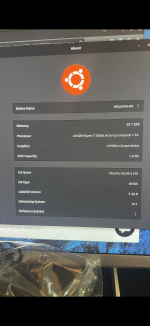

Not sure whether this will help or not, but Linux Mint is a fork of Ubuntu, so maybe it will
Good luck.

Before you start trying to follow this guide, please understand that these instructions are
just detailing the way I chose to set up Lutris and install my game. Some of the steps may not be
completely necessary and some may be detrimental to your Linux distro. (In short if you choose to
change your Linux Kernel be sure you know what you are doing. I am not a Linux Guru and if you
mess up your system I can't help you fix it.)
just detailing the way I chose to set up Lutris and install my game. Some of the steps may not be
completely necessary and some may be detrimental to your Linux distro. (In short if you choose to
change your Linux Kernel be sure you know what you are doing. I am not a Linux Guru and if you
mess up your system I can't help you fix it.)
HP Pro Book 450 G3 i5-6200 @2.3GHZ
16GB Ram 500GB M.2 SSD
Dual Boot: Windows 10 H902 (Soon To Be History)
Customized Linux Mint 22.3 (Daily Driver)
I...
16GB Ram 500GB M.2 SSD
Dual Boot: Windows 10 H902 (Soon To Be History)
Customized Linux Mint 22.3 (Daily Driver)
I...
- Unapologetic Miscreant
- Replies: 2
- Forum: Saints Row 2
Good luck.
Last edited: