
Huh. Well, it holds on a black screen even with only the required files installed: preload.tbl, preload_anim.tbl, and the files from "modified". Thank god I use SuperF4 so I can close the failed launch and try again immediately.So it's just 50/50 whether your game loads into the main menu or not? I've never heard of that issue. Though sometimes my game takes longer to load than others, or sometimes even fails to launch. I think it's to do with Juiced hooking into the game's .exe, but I can't be certain on that.
If there's a mod incompatibility, the game will usually crash at 80% loading before reaching the main menu.

You are using an out of date browser. It may not display this or other websites correctly.
You should upgrade or use an alternative browser.
You should upgrade or use an alternative browser.
Installing GotR using Juiced v7.1.0 or later (for beginners)
- Thread starter -SeaboundSaint-
- Start date

I also have the black screen during startup, too. had to end task via TM and then restart the game. I did not use SeaboundSaint's method of installing GoTR though, just the usual overwritten of files by copying from "My custom patch" folder. In fact I even used CGoTR and not the original to avoid as many issues as possible and this still happened.Well, for the most part, this seems to have worked. I can wait on the DLC; in fact, I don't recall owning it when I first played this game on Xbox. However, the game holds on a black screen half of all startup attempts, and optional GotR mods like changing clothing colors in the wardrobe flat-out don't work. What's the likelihood of incompatibility?
EDIT: The optional mods actually work, I just had to put the line for that directory above the GotR line in loose.txt. The black screen still happens, though.

Huh. Well, it holds on a black screen even with only the required files installed: preload.tbl, preload_anim.tbl, and the files from "modified". Thank god I use SuperF4 so I can close the failed launch and try again immediately.
Like I said, I've never experienced this. Have either of you tried removing GotR from your installation? Or tried to play pure Vanilla (except for Juiced)? If neither of those suggestions work, you could try reinstalling the game... You might also try the Limit Adjuster to see if that fixes it.I also have the black screen during startup, too. had to end task via TM and then restart the game. I did not use SeaboundSaint's method of installing GoTR though, just the usual overwritten of files by copying from "My custom patch" folder. In fact I even used CGoTR and not the original to avoid as many issues as possible and this still happened.
Edit: It could also be related to your Juiced installation. Either it wasn't installed correctly, or the LAA patcher (for Steam version) isn't patching correctly. I use GOG, so I've never had to use it myself. This is just what's been suggested to me.
Last edited:
Hello there.
Can these instructions still be applied if i'm planning to install GOTR with the most recent version of Juiced (9.0.5)?
It's made a bit more complicated by the fact that i already replaced the vanilla files with those of GOTR, good thing i make back ups like a maniac.
Can these instructions still be applied if i'm planning to install GOTR with the most recent version of Juiced (9.0.5)?
It's made a bit more complicated by the fact that i already replaced the vanilla files with those of GOTR, good thing i make back ups like a maniac.

Yeah it isCan these instructions still be applied if i'm planning to install GOTR with the most recent version of Juiced (9.0.5)?
And i suppose the optional mods like the High Quality Textures that i used to install with GOTR go into the mods\GotR\optional folder?Yeah it is
yeah if its listed in loose.txtAnd i suppose the optional mods like the High Quality Textures that i used to install with GOTR go into the mods\GotR\optional folder?
Okay, this is the part where i'm going to sound really dumb but it's getting late so bear with me please.yeah if its listed in loose.txt
Do i need to add any more lines to loose.txt apart from GotR and GotR\optional? Or do i just need to shove those files in there and the game will read them?
I'm almost done so amateur hour shouldn't last much longer.
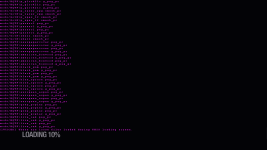
I get a mempool error when launching the game and i can't find the option in the juice.ini to expand it. Has it been removed?
The game will read any files put into those folders, yes.Okay, this is the part where i'm going to sound really dumb but it's getting late so bear with me please.
Do i need to add any more lines to loose.txt apart from GotR and GotR\optional? Or do i just need to shove those files in there and the game will read them?
I'm almost done so amateur hour shouldn't last much longer.
First of all; The DLC is not compatible with GotR, so make sure it's toggled off in juiced.ini.I get a mempool error when launching the game and i can't find the option in the juice.ini to expand it. Has it been removed?
View attachment 51262
If it's still happening, you could try using the Limit Adjuster.