

INFO:
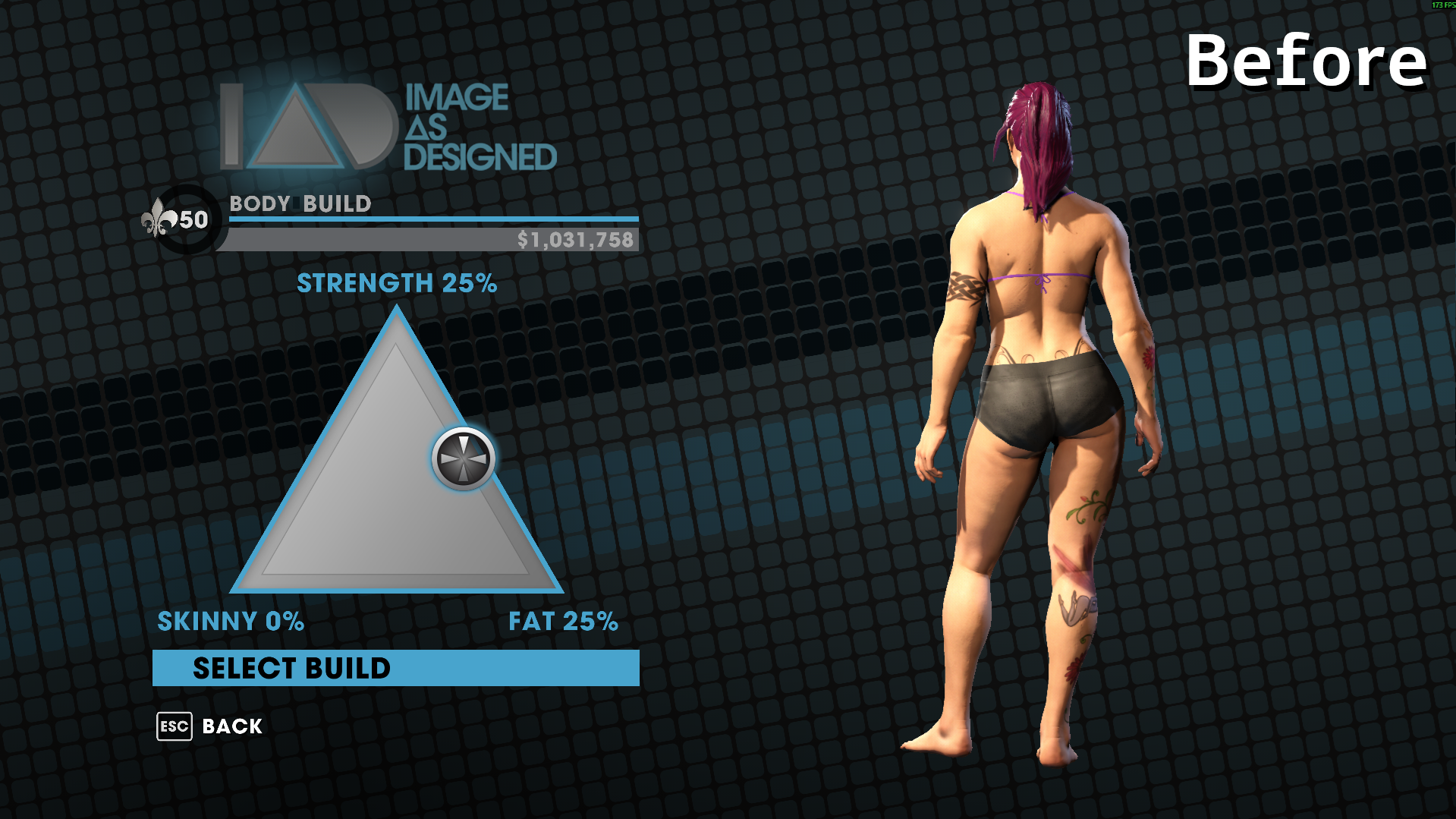
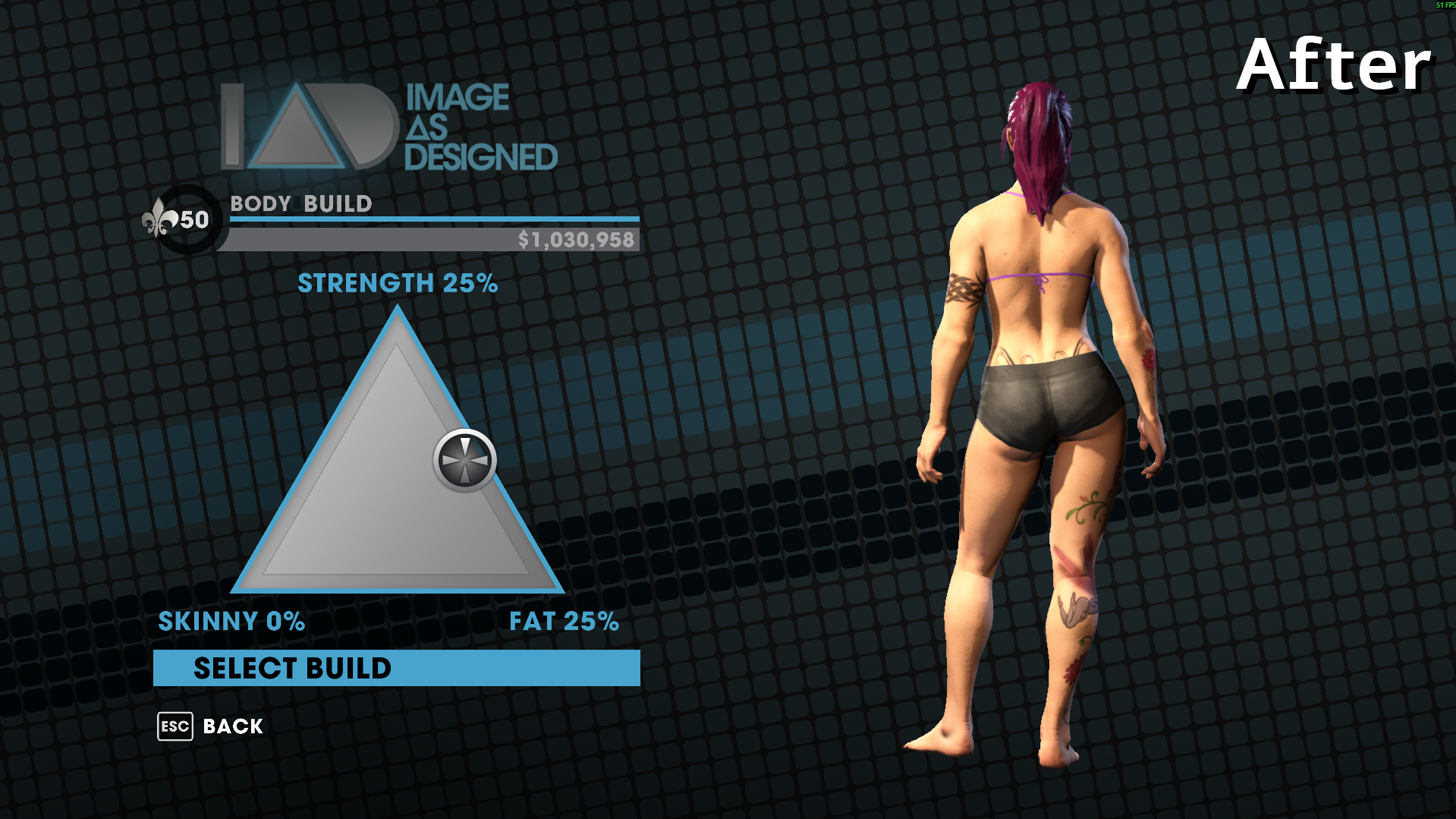
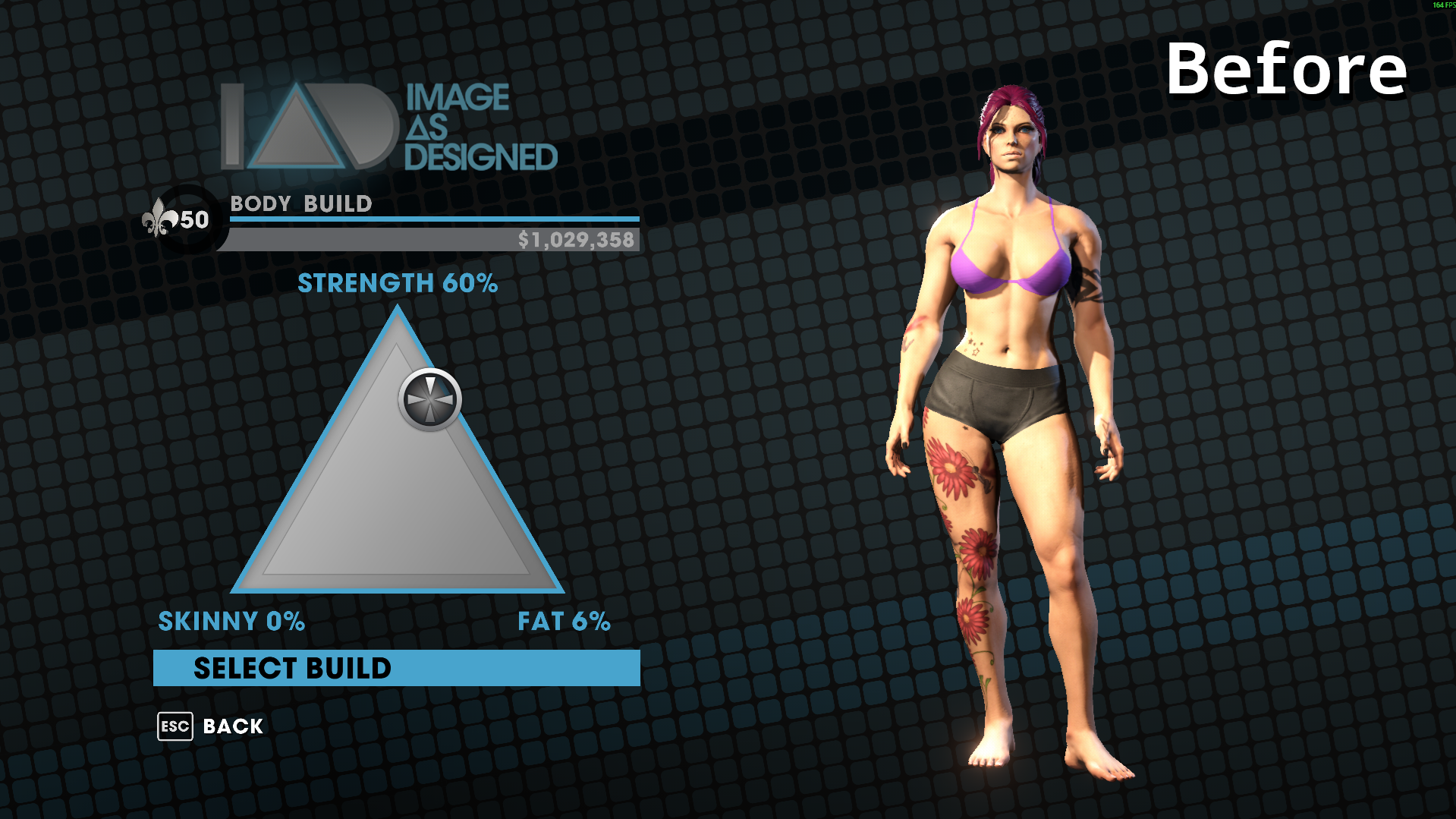
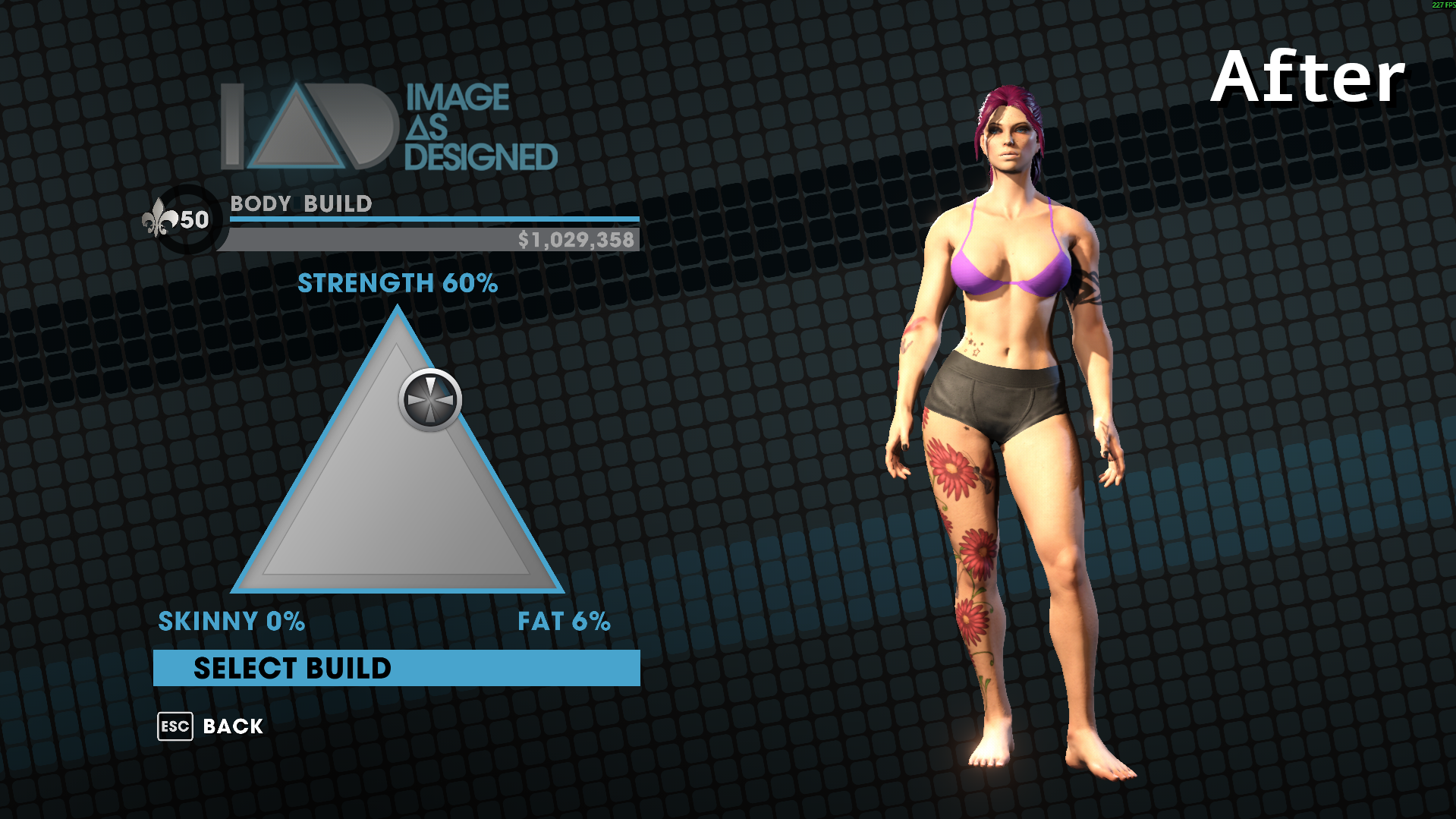
One thing I really disliked in the remastered version of SR3 was when customizing your character's body, a single percentage into strength, skinny, or fat would apply a heavy skin overlay (or normal map). Even 1% into fat and you'd have the obese normal map applied to your character. It looks terrible when trying to use a few percent to shape your character.
This simple mod prevents that normal map from applying prior to 65% in a category. After that, it'll ramp up quickly so you can still make very muscular or obese characters but you can also make the dad bod of your dreams or a curvier woman without requiring the fat or buff textures.
Note: There was a mod called Always Neutral Skin that fully disabled the normal map, but using my method - you can fully customize it, allowing for a wider range of characters.
INSTALLATION:
Put the file in your Saints Row The Third: Remastered game folder - same place with the exe.
COMPARISONS: (Vanilla/ Modded)
CHANGE THE SETTINGS:
If you don't like my configuration, then you can just edit the mod yourself with notepad++. You'll find my modified code without indentations on Lines 34-41 (SKINNY), 63-70 (FAT), and 92-99 (MUSCULAR). Using that as a template, you can easily edit the values to be whatever you want.
Slider_Position - This is what percentage on the build selection. From 0 to 1.0 is the same in-game as 0 to 100%.
Normal_Map_Strength - This is how strong the texture normal maps become. 1.0 is the base game's maximum, but you can set it higher or lower.
* You can add new lines to the code, to make different thresholds. You can make different curves or even have more customization options, like 99% with the normal map, 100% without it, etc. You can disable the normal maps for one category, then strengthen it for another. Whatever you want.
One thing I really disliked in the remastered version of SR3 was when customizing your character's body, a single percentage into strength, skinny, or fat would apply a heavy skin overlay (or normal map). Even 1% into fat and you'd have the obese normal map applied to your character. It looks terrible when trying to use a few percent to shape your character.
This simple mod prevents that normal map from applying prior to 65% in a category. After that, it'll ramp up quickly so you can still make very muscular or obese characters but you can also make the dad bod of your dreams or a curvier woman without requiring the fat or buff textures.
Note: There was a mod called Always Neutral Skin that fully disabled the normal map, but using my method - you can fully customize it, allowing for a wider range of characters.
INSTALLATION:
Put the file in your Saints Row The Third: Remastered game folder - same place with the exe.
COMPARISONS: (Vanilla/ Modded)
CHANGE THE SETTINGS:
If you don't like my configuration, then you can just edit the mod yourself with notepad++. You'll find my modified code without indentations on Lines 34-41 (SKINNY), 63-70 (FAT), and 92-99 (MUSCULAR). Using that as a template, you can easily edit the values to be whatever you want.
Slider_Position - This is what percentage on the build selection. From 0 to 1.0 is the same in-game as 0 to 100%.
Normal_Map_Strength - This is how strong the texture normal maps become. 1.0 is the base game's maximum, but you can set it higher or lower.
* You can add new lines to the code, to make different thresholds. You can make different curves or even have more customization options, like 99% with the normal map, 100% without it, etc. You can disable the normal maps for one category, then strengthen it for another. Whatever you want.
Attachments
Last edited: