Current Version: v1.1

Sliders:
―⌧ Sliders in the "SKIN/FAT-BONES" menu (formerly the "BODY" menu) no longer affect the morph in any way. The "FatBones" slider (previously "Fatness") will still adjust limb angles.
―⌧ The default value for the new Body and Skin sliders is "25". Going below "25" uses negative values, producing previously impossible results! However, clipping with some clothing items may occur.
―⌧ Underwear no longer automatically applies, and the chest censor now applies to Male characters. This is due to the removal of the Vanilla "Body Style" (Gender) Slider. This is preferable to having bras automatically applied to Male characters.
―⌧ Forehead sliders can now be found in the "Brow" menu.
Presets:
―⌧ "Build" and "Age" Preset Menus have been disabled. This is due to the Vanilla "BODY" menu (now called "SKIN/FAT-BONES") sliders being disabled.
Compatibility:
―⌧ Compatibility versions of the "pcr01.lua" file are available. The default version in the "1. Essential Files" folder is for GotR only. Other versions for Vanilla, SuperUI and M2M are also available in the "2. Compatibility Files" folder.
Potential Issues:
―⌧ Based on my testing, there should be no issues relating to incompatibility with save files. The same save file should work before and after installing/uninstalling this mod (aside from the character looking different).
―⌧ If your character begins to display weird shadows on their skin after excessive morphing, saving and reloading will fix the issue. This is a Vanilla bug (even present on console versions). (Example image: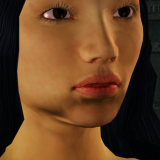 .)
.)
via Juiced Patch (v7.1.0 or later):
1. Create a new folder inside the "mods" folder in your Saints Row 2 root directory (Where SR2_pc.exe is located). Call it "Humanistic Sliders Evolution".
2. COPY all files from the "1. Essential Files" folder into the "Humanistic Sliders Evolution" folder you just created.
4. Launch Saints Row 2, it's morphin' time!
via Gentlemen Of The Row (Patch Builder):
1. COPY all files from the "1. Essential Files" folder provided by this mod.
2. PASTE into "Gentlemen_of_the_Row_Saints_Row_2_Super_Mod_v1.9.2\optional_mod_stuff\1-MODDERS_-_PUT_YOUR_OWN_PERSONAL_MODS_HERE".
4. Move the newly created contents of "MY_CUSTOM_PATCH" into your Saints Row 2 root folder (Where SR2_pc.exe is located.).
5. Launch Saints Row 2, it's morphin' time!
via SR2ModManager:
1. Create a new folder in "SR2ModManager_v2.07\mods". Call it "Humanistic Sliders Evolution".
2. COPY all files from the "1. Essential Files" folder provided by this mod.
3. PASTE into the "Humanistic Sliders Evolution" folder you created.
5. Compile your "patch.vpp_pc" and move it from "SR2ModManager_v2.07\patch_vpp_pc_new" into your Saints Row 2 root directory (Where SR2_pc.exe is located).
6. Launch Saints Row 2, it's morphin' time!
CREDITS:
- "Additional sliders" (SRTT) by @Moff : The inspiration for this mod.
- "Skylion's Super Sliders" (GotR) by Skylion: Inspired the Humanistic Sliders project as a whole.
- "Juiced Patch" by the Kobraworks team
- "Gentlemen Of The Row" by IdolNinja (& the GotR team)
- "SR2ModManager" by Masamaru
- "CGallery & CHeight - Character Gallery & Player Height" by @Clippy95
Unzipped Folder Size: 817 KB
Building on the foundations of the original Humanistic Sliders mod,
"Humanistic Sliders: Evolution" adds 19 brand new character creation sliders!


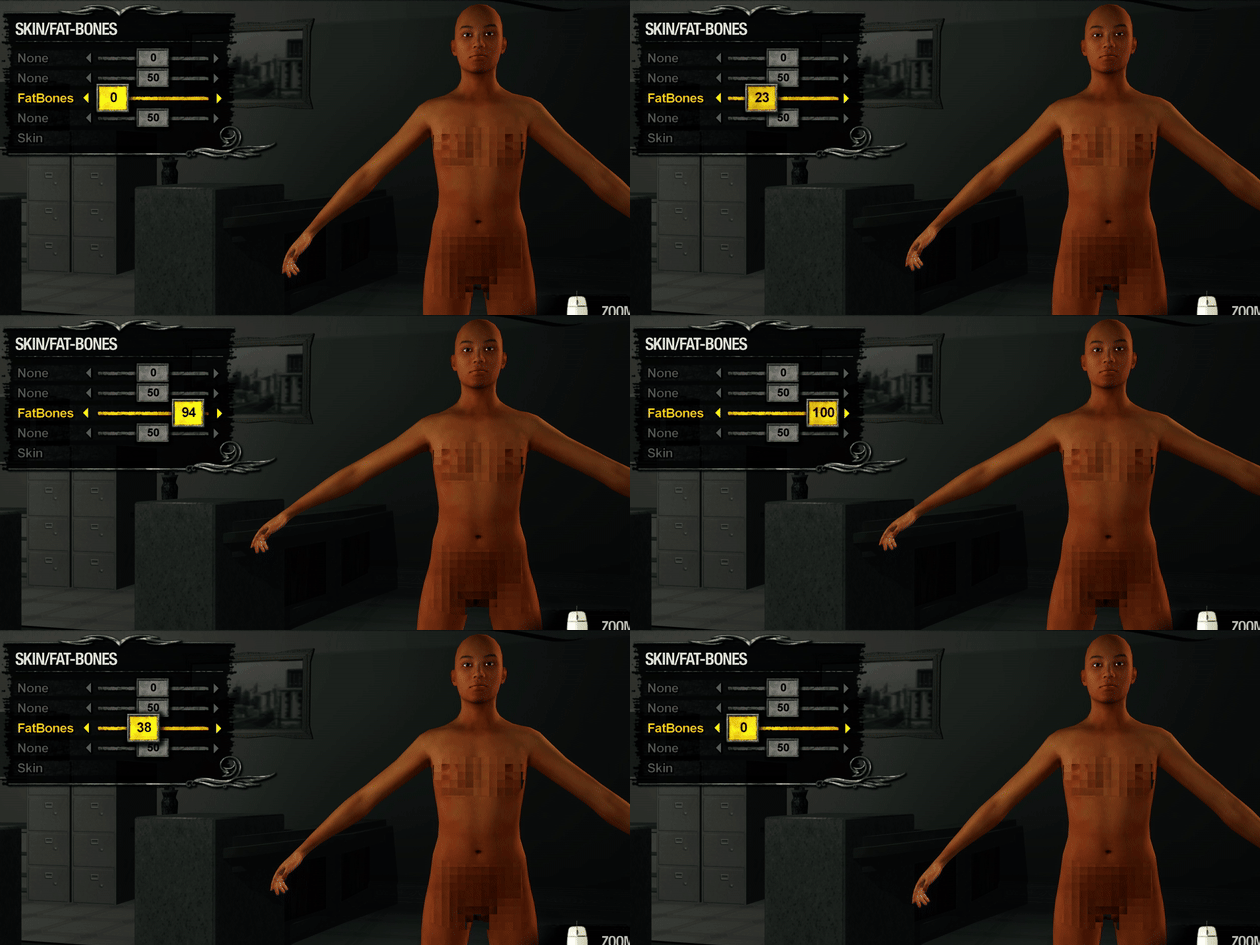
NEW PRESETS!
New, less obtrusive hairstyles!:
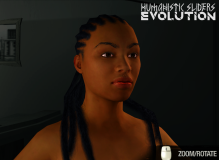


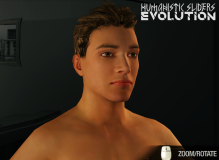
Eyelashes for Male Presets!:

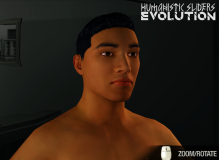
Coma awakening (Optional):
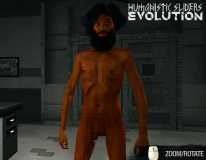


INDEPENDENT EYEBROW COLORS!
Eyebrows and Sideburns now use the Facial Hair color!

"Humanistic Sliders: Evolution" adds 19 brand new character creation sliders!
NEW PRESETS!
New, less obtrusive hairstyles!:
Eyelashes for Male Presets!:
Coma awakening (Optional):
INDEPENDENT EYEBROW COLORS!
Eyebrows and Sideburns now use the Facial Hair color!
NOTES:
v1.1 Changes:
―⌧ Tweaks have been made to the following Sliders:
―⌧ Some Menus, Categories and Sliders have been renamed for easier navigation.
―⌧ "Build" and "Age" Preset Menus have been disabled, as those Presets no longer do anything.
―⌧ A Hairstyle used for a Coma Awakening Preset which would crash the game when used with Vanilla has been fixed. (Also available in v1.0.1.)
―⌧ Tweaks have been made to the following Sliders:
- African American (x3)
- Caucasian (x4)
- Face Male (x4)
- Face Age (x4)
- Body Female (Neg Values Increased)
- Body Muscularity (Neg Values Increased)
- Skin Male (Neg Values enabled below 25)
- Skin Female (Neg Values enabled below 25)
- Skin Muscle (Neg Values enabled below 25)
- Skin Skinny (Neg Values enabled below 25)
- Skin Fat (Neg Values enabled below 25)
- Skin Age (Neg Values enabled below 25)
- Iris Size (x4)
- Eyes Size (x4)
- Temple Height (x3)
- Cheekbones Height (x2)
If you are upgrading from v1.0 and are using the same character, you may need to readjust values for these sliders.
―⌧ Some Menus, Categories and Sliders have been renamed for easier navigation.
―⌧ "Build" and "Age" Preset Menus have been disabled, as those Presets no longer do anything.
―⌧ A Hairstyle used for a Coma Awakening Preset which would crash the game when used with Vanilla has been fixed. (Also available in v1.0.1.)
Sliders:
―⌧ Sliders in the "SKIN/FAT-BONES" menu (formerly the "BODY" menu) no longer affect the morph in any way. The "FatBones" slider (previously "Fatness") will still adjust limb angles.
―⌧ The default value for the new Body and Skin sliders is "25". Going below "25" uses negative values, producing previously impossible results! However, clipping with some clothing items may occur.
―⌧ Underwear no longer automatically applies, and the chest censor now applies to Male characters. This is due to the removal of the Vanilla "Body Style" (Gender) Slider. This is preferable to having bras automatically applied to Male characters.
―⌧ Forehead sliders can now be found in the "Brow" menu.
Presets:
―⌧ "Build" and "Age" Preset Menus have been disabled. This is due to the Vanilla "BODY" menu (now called "SKIN/FAT-BONES") sliders being disabled.
Compatibility:
―⌧ Compatibility versions of the "pcr01.lua" file are available. The default version in the "1. Essential Files" folder is for GotR only. Other versions for Vanilla, SuperUI and M2M are also available in the "2. Compatibility Files" folder.
Potential Issues:
―⌧ Based on my testing, there should be no issues relating to incompatibility with save files. The same save file should work before and after installing/uninstalling this mod (aside from the character looking different).
―⌧ If your character begins to display weird shadows on their skin after excessive morphing, saving and reloading will fix the issue. This is a Vanilla bug (even present on console versions). (Example image:
.)INSTALLATION:
via Juiced Patch (v7.1.0 or later):
1. Create a new folder inside the "mods" folder in your Saints Row 2 root directory (Where SR2_pc.exe is located). Call it "Humanistic Sliders Evolution".
2. COPY all files from the "1. Essential Files" folder into the "Humanistic Sliders Evolution" folder you just created.
2a. (Optional) COPY any files from the "2. Compatibility Files" or "3. Optional Files" folders into the "Humanistic Sliders Evolution" folder you created, overwriting what's there.
3. COPY the following text into "loose.txt" in your Saints Row 2 root directory: mods/Humanistic Sliders Evolution4. Launch Saints Row 2, it's morphin' time!
via Gentlemen Of The Row (Patch Builder):
1. COPY all files from the "1. Essential Files" folder provided by this mod.
2. PASTE into "Gentlemen_of_the_Row_Saints_Row_2_Super_Mod_v1.9.2\optional_mod_stuff\1-MODDERS_-_PUT_YOUR_OWN_PERSONAL_MODS_HERE".
2a. (Optional) Repeat steps 1 & 2 for any files from the "2. Compatibility Files" or "3. Optional Files" folders, overwriting what you just copied over.
3. Rebuild your Gentlemen Of The Row custom patch by double-clicking "Create_Custom_GotR_v1.9.2.bat" and following the instructions.4. Move the newly created contents of "MY_CUSTOM_PATCH" into your Saints Row 2 root folder (Where SR2_pc.exe is located.).
5. Launch Saints Row 2, it's morphin' time!
via SR2ModManager:
1. Create a new folder in "SR2ModManager_v2.07\mods". Call it "Humanistic Sliders Evolution".
2. COPY all files from the "1. Essential Files" folder provided by this mod.
3. PASTE into the "Humanistic Sliders Evolution" folder you created.
3a. (Optional) COPY any files from the "2. Compatibility Files" or "3. Optional Files" folders into the "Humanistic Sliders Evolution" folder you created, overwriting what's there.
4. Run "SR2ModManager.exe" and tick the "Humanistic Sliders Evolution" folder you created.5. Compile your "patch.vpp_pc" and move it from "SR2ModManager_v2.07\patch_vpp_pc_new" into your Saints Row 2 root directory (Where SR2_pc.exe is located).
6. Launch Saints Row 2, it's morphin' time!
Humanistic Sliders: Evolution x CHeight+CGallery Compatibility Patches are available to download here.
If you are using Juiced Patch v7.7.2 (or later) and CHeight r5 (or later), neither patch is required.
If you are using Juiced Patch v7.7.2 (or later) and CHeight r5 (or later), neither patch is required.
CREDITS:
- "Additional sliders" (SRTT) by @Moff : The inspiration for this mod.
- "Skylion's Super Sliders" (GotR) by Skylion: Inspired the Humanistic Sliders project as a whole.
- "Juiced Patch" by the Kobraworks team
- "Gentlemen Of The Row" by IdolNinja (& the GotR team)
- "SR2ModManager" by Masamaru
- "CGallery & CHeight - Character Gallery & Player Height" by @Clippy95
Unzipped Folder Size: 817 KB
Attachments
Last edited: