

Hello,
This fixes the horrifying oversight when you are in The Den district: the horizon fog does not match the ground fog color.
Before:
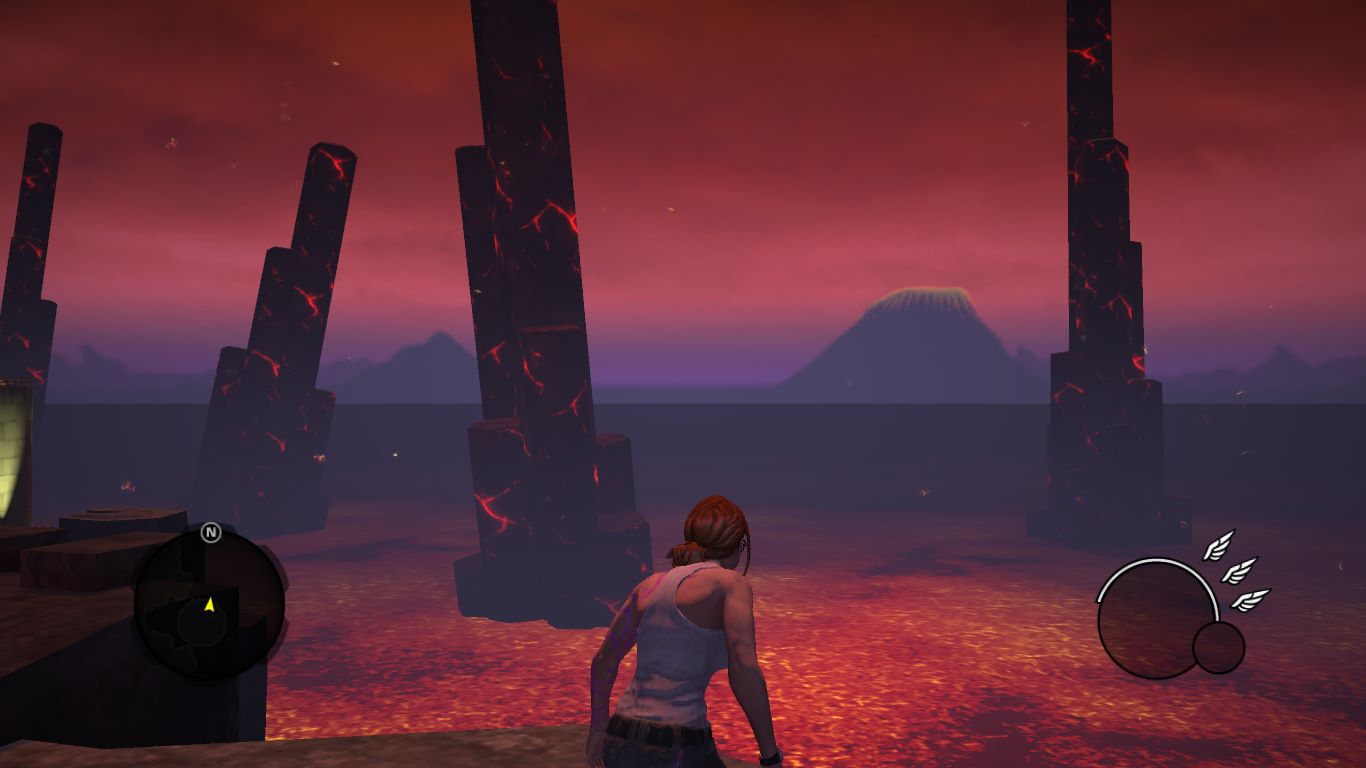
After:
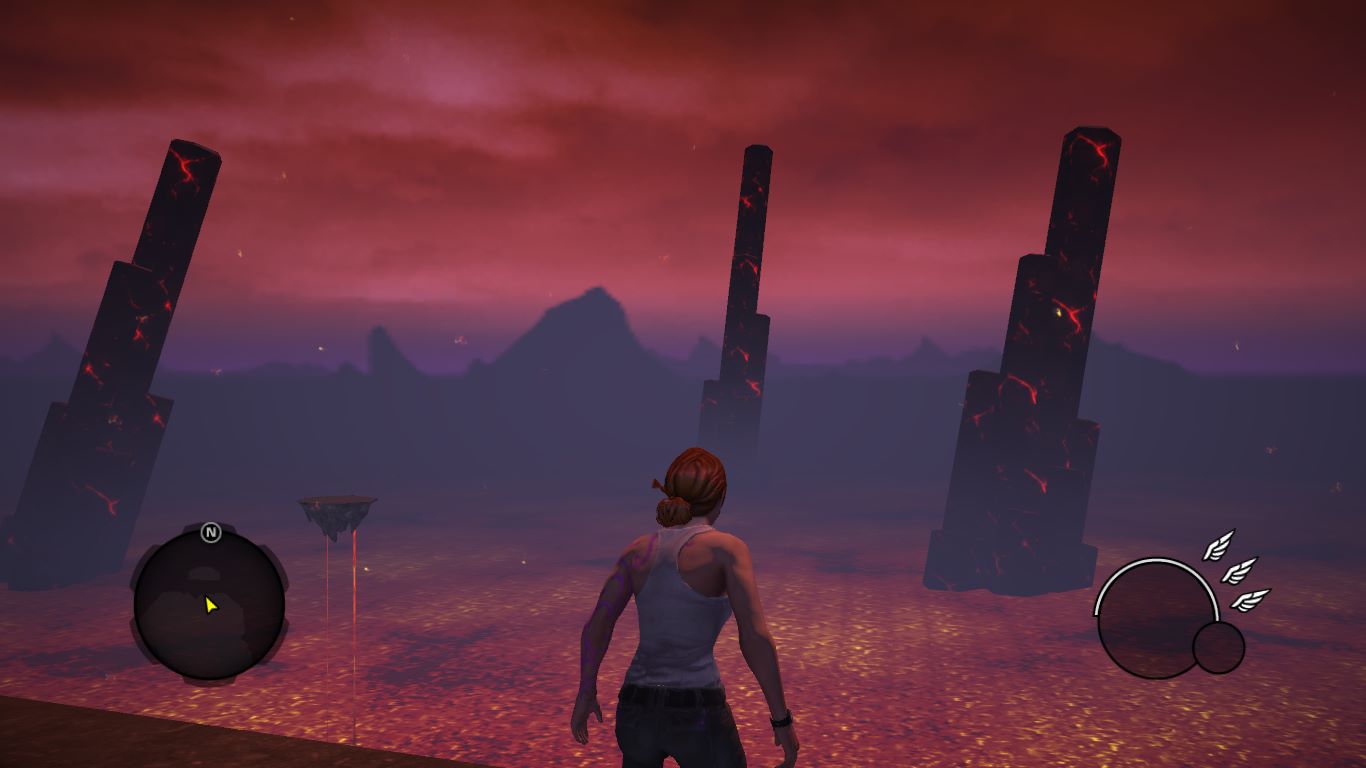
It also fixes such problems in hell_base.todx and dwellings_tunnels_tod.todx, but I couldn't be bothered to screenshot them
Enjoy New Hades
Credits
Voliton for the engine, overall direction (probably), and High Voltage Software for doing the thing
Erronis for Kinzie's Shirt Fix, removing the FBI logo
@Unapologetic Miscreant for being a real one
You for reading and (hopefully) enjoying
This fixes the horrifying oversight when you are in The Den district: the horizon fog does not match the ground fog color.
Before:
After:
It also fixes such problems in hell_base.todx and dwellings_tunnels_tod.todx, but I couldn't be bothered to screenshot them
Enjoy New Hades
Installation
To install, extract both *.todx files into the same directory of Saints Row Gat Out Of Hell.exe. For Steam you can right-click it in games list, select Manage > Browse Local files to get to this directorysome guides: basic intro to the weather files | tags glossary
both of these are for sr3 but most of the essentials the same.
.todx are essentially the same as weather_time_of_day.xtbl in sr3, where changes made in each TOD's file first uses default_district.xtbl's defaults and then adds its own changes. for some reason, no .todx file's tags are in a uniform order, so you'll have to do a lot of Find and Find in Files operations to find anything
assuming you "ain't got time for dat" guide, basically, the problem is that the in ent_bs_tod_ovr.todx: fog_color has a lower intensity than the horizon_mountain_fog_color
the sequence of numbers are 4 floats, they read as Red Green Blue (which range from 0 to 1, as precise as floating points allow) and Intensity (which can go from 0 for black or "transparent" depending on the tag it is used in) to infinity for blinding white. generally if you need brighter colours you add intensity but this probably screws up the bloom as well.
in my mod's case I changed fog_color to be brighter to 0.07
hell_base.todx and dwellings_tunnels_tod.todx also has the same issue, but they are far less noticeable/egregious, still, they take away from New Hades' beauty and have been treated accordingly.
both of these are for sr3 but most of the essentials the same.
.todx are essentially the same as weather_time_of_day.xtbl in sr3, where changes made in each TOD's file first uses default_district.xtbl's defaults and then adds its own changes. for some reason, no .todx file's tags are in a uniform order, so you'll have to do a lot of Find and Find in Files operations to find anything
assuming you "ain't got time for dat" guide, basically, the problem is that the in ent_bs_tod_ovr.todx: fog_color has a lower intensity than the horizon_mountain_fog_color
the sequence of numbers are 4 floats, they read as Red Green Blue (which range from 0 to 1, as precise as floating points allow) and Intensity (which can go from 0 for black or "transparent" depending on the tag it is used in) to infinity for blinding white. generally if you need brighter colours you add intensity but this probably screws up the bloom as well.
XML:
<fog_color>0.262251 0.215861 0.527115 0.04</fog_color>
<horizon_mountain_fog_color>0.262251 0.215861 0.527115 0.07</horizon_mountain_fog_color>
in my mod's case I changed fog_color to be brighter to 0.07
hell_base.todx and dwellings_tunnels_tod.todx also has the same issue, but they are far less noticeable/egregious, still, they take away from New Hades' beauty and have been treated accordingly.
Credits
Voliton for the engine, overall direction (probably), and High Voltage Software for doing the thing
Erronis for Kinzie's Shirt Fix, removing the FBI logo
@Unapologetic Miscreant for being a real one
You for reading and (hopefully) enjoying

