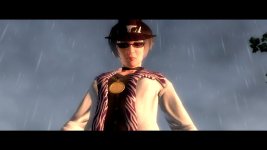
Cornrow tails to show under hat

If not a mod release please tell me how to get the cornrow tails to not disappear when I wear a hat, I know it has some thing to do with the customization_items.xtbl.
When I try to modify the the file like deleting the vid under cornrow I get undesirable results.
 
M2M does this. Though bear in mind, it doesn't work with DLC currently.

The issue isn't the VID of the Cornrows, it's that other Items are obscuring that VID.

Remove every instance of the following from customization_items.xtbl:
Code:
                        <Obscured_VID>
                            <VID>228</VID>
                            </Obscured_VID>
If it's not "228", it's "244".

If that still doesn't work, also remove every instance of the following:
Code:
                    <Active_Flag>
                        <Flag>use hat hair</Flag>
                        <Comparison>yes</Comparison>
                        </Active_Flag>
Here's my VID guide for further reference.
 
M2M does this. Though bear in mind, it doesn't work with DLC currently.

The issue isn't the VID of the Cornrows, it's that other Items are obscuring that VID.

Remove every instance of the following from customization_items.xtbl:
Code:
                        <Obscured_VID>
                            <VID>228</VID>
                            </Obscured_VID>
If it's not "228", it's "244".

If that still doesn't work, also remove every instance of the following:
Code:
                    <Active_Flag>
                        <Flag>use hat hair</Flag>
                        <Comparison>yes</Comparison>
                        </Active_Flag>
Here's my VID guide for further reference.
One question.. Can you made the hair goes through the hat invisible.. because admixon ever told me about use cmesh to made it invisible.. to remove it but i dont know which one we should remove
 

Attachments

  • 20221230003834_1.jpg
    20221230003834_1.jpg
    73.4 KB · Views: 7
M2M does this. Though bear in mind, it doesn't work with DLC currently.

The issue isn't the VID of the Cornrows, it's that other Items are obscuring that VID.

Remove every instance of the following from customization_items.xtbl:
Code:
                        <Obscured_VID>
                            <VID>228</VID>
                            </Obscured_VID>
If it's not "228", it's "244".

If that still doesn't work, also remove every instance of the following:
Code:
                    <Active_Flag>
                        <Flag>use hat hair</Flag>
                        <Comparison>yes</Comparison>
                        </Active_Flag>
Here's my VID guide for further r

M2M does this. Though bear in mind, it doesn't work with DLC currently.

The issue isn't the VID of the Cornrows, it's that other Items are obscuring that VID.

Remove every instance of the following from customization_items.xtbl:
Code:
                        <Obscured_VID>
                            <VID>228</VID>
                            </Obscured_VID>
If it's not "228", it's "244".

If that still doesn't work, also remove every instance of the following:
Code:
                    <Active_Flag>
                        <Flag>use hat hair</Flag>
                        <Comparison>yes</Comparison>
                        </Active_Flag>
Here's my VID guide for further reference.
Alright! I opened the customization_items.xtbl and deleted all the <Obscured_VID><VID>228</VID></Obscured_VID> and it worked! Thank you.
 
One question.. Can you made the hair goes through the hat invisible.. because admixon ever told me about use cmesh to made it invisible.. to remove it but i dont know which one we should remove
I'm not too sure. All I know how to do with .cmesh files is remove the shadow mesh and rename textures for use with Juiced's "AddOnBitmaps" feature.
 
Back
Top