

Welcome to QOL Constants for Saints Row 2!
This lua script adds a ton of brand new features to Saints Row 2, such as:
• Health modifiers
• Hunger system
• Animation player
• Ragdoll on command (even in cutscenes!)
• Ability to release Human Shields without throwing/killing them
• In-depth Voice customization
• Restored Voice Lines for various situations
• Voice Line, Music and Foley players
• Enter any vehicle in a specific seat
• Vehicle controls for operating doors, headlights and seatbelt
• Vehicle Speedometer
• Discard unwanted weapons
• Restored strafing movements
• Toggle "Combat Ready" stance
• Choose when and where you spawn into the game
• In-game time display
• Adjust time scale
And much, much more!...
(See "Features" list below)
To get started,
open "sr2_qol_constants.lua" (Notepad++ recommended), and
browse the Config Section to craft your very own unique gameplay experience!
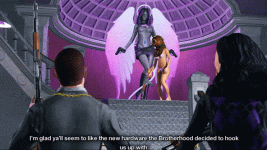
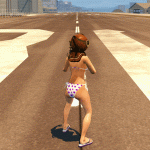
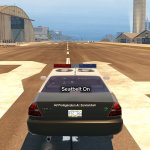
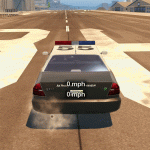
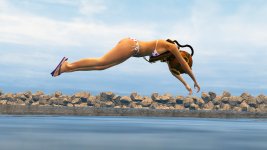
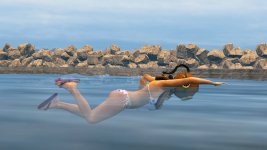
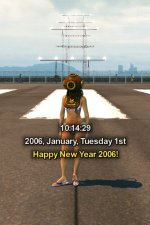
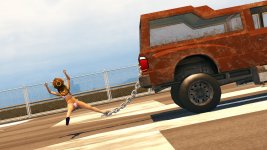
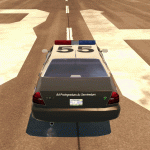
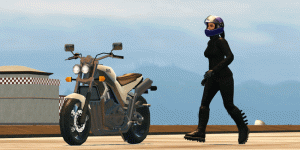
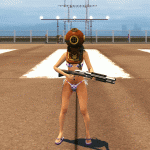
SCREENSHOTS & GIFS:

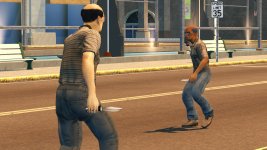
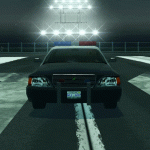
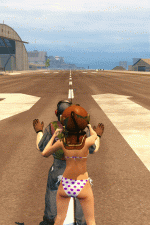
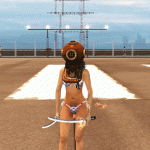

FEATURES:
PLAYER:
Camera:
- Adjustable Camera Shake, Wobble and High filters for various situations.
Health:
- Receive damage from Vehicle collisions.
- Play a theme song on death.
- Hunger System.
- Max Health adjust. (One-Hit KO possible. Does not break Fight Club.)
- No Health Regeneration.
- Ragdoll when shot.
Movement:
- Play Animations on command.
- Toggle "Combat Ready" stance.
- Disable various On-foot and Vehicle controls.
- Release Human Shields without throwing/killing them.
- Become a Human Torch and set pedestrians on fire!
- No explosion ragdolls.
- Stand, Walk and Run animation state overrides for Unarmed and single-handed Weapons.
- Additional Swimming Animations.
- Mash buttons to stand up from Ragdolls.
- Ragdoll on command. (Works in Cutscenes!)
- Restored strafing movements and animations for Unarmed, Melee and Thrown "Combat Ready" stances.
- Sword Parrying in the open world. (Like in "Kanto Connection".)
- Disable "Warp to Shore" mechanic.
Sound:
- Play Foleys on command.
- Music Player. (Works in Cutscenes!)
Spawning:
- Set spawn location after death.
- Set spawn location upon loading into a save.
Voice:
- Override Playa's Voice with any NPC Voice.
Voice Lines:
- Play any Voice Line or Persona Situation on command, or even play a stream of them to craft Conversations. (Works in Cutscenes!)
- Complain on Vehicle collision.
- Cheer while jumping through the air in a Vehicle! ("Dukes of Hazzard" style!)
- Restored Death Scream.
- Speak on recruiting/dismissing Followers.
- Speak on Notoriety gain.
- Speak on stealing a Vehicle.
- Speak on taking damage.
- Taunt enemies while firing Weapons.
Weapons:
- Set any Team (including Civilians) to be always "Combat Ready", often carrying Weapons.
- Discard an equipped Weapon at the press of a button.
- Infinite ammo for any Weapon slots.
- Set initial Weapon loadout when spawning into a save.
- Disable specific Weapon slots.
Misc.:
- Add a Map Icon to your character.
- Add VFX over your character's head.
WORLD:
Notoriety:
- Disable Busted system.
- Prevent Notoriety increasing past a certain point.
- Prevent Notoriety decaying.
- Play Police dispatch radio on Notoriety gain.
- Disable Notoriety Zones (such as the Prison).
Sound:
- Volume controls for Foleys and Music.
Spawning:
- Disable Action Node, Pedestrian and Notoriety spawning.
- Set Pedestrian and Traffic density.
- Swap Chunks of the Stilwater map into various story-related states. (eg: Restore the Cargo Ship from "The Enemy of my Enemy" Mission.)
Time:
- Display the current in-game Time (even to the in-game Year, Month and Day).
- Set Time Scale ratio. (Speed that Time progresses by.)
- Set the in-game Time Of Day you'll load into a save at.
- Display a timer on screen.
Vehicles:
- Chain yourself to any "Compensator" Pick-up Truck. (Experimental! Very buggy!)
- Press the "Enter Vehicle" button and a "Weapon Number" button to enter any Vehicle in a specific seat.
- Damaged speed deterioration. (Go slower while Vehicle is smoking.)
- Open any door or hinged-component of your current Vehicle with the D-Pad.
- Stop your current Vehicle's momentum in it's tracks with the press of a button.
- Receive Goodies on entering Ambulances, Police Vehicles and Taxis, such as Cash, Health and Weapons.
- Turn On/Off your current Vehicle's Headlights.
- Put on a helmet when entering certain Vehicles (such as Bikes).
- Repair and set the Max Hit Points of any Vehicle you enter.
- Set the overall Max Speed cap of any Vehicle you enter. (Allows Max Speed to be increased past the Vanilla 100!)
- Infinite Nitrous (toggleable) for all Cars, Bikes, and even Planes.
- Prevent your current Vehicle being flung from explosions.
- Prevent your current Vehicle catching fire.
- Prevent Parts from detaching from your current Vehicle if damaged.
- Prevent the Vehicle's Radio from turning on. (More consistent than the in-game Pause Menu option.)
- Set a Vehicle's Radio to a specific Station on entering.
- Seatbelt System to disable Windshield Cannon and make falling off Bikes less likely.
- Speedometer display for your current Vehicle.
- Supress Vehicle Flipping to make rolling over less likely.
- Prevent your current Vehicle's Windows from shattering.
Weather:
- Lock the Weather to a specific or random Stage for the game session.
Camera:
- Adjustable Camera Shake, Wobble and High filters for various situations.
Health:
- Receive damage from Vehicle collisions.
- Play a theme song on death.
- Hunger System.
- Max Health adjust. (One-Hit KO possible. Does not break Fight Club.)
- No Health Regeneration.
- Ragdoll when shot.
Movement:
- Play Animations on command.
- Toggle "Combat Ready" stance.
- Disable various On-foot and Vehicle controls.
- Release Human Shields without throwing/killing them.
- Become a Human Torch and set pedestrians on fire!
- No explosion ragdolls.
- Stand, Walk and Run animation state overrides for Unarmed and single-handed Weapons.
- Additional Swimming Animations.
- Mash buttons to stand up from Ragdolls.
- Ragdoll on command. (Works in Cutscenes!)
- Restored strafing movements and animations for Unarmed, Melee and Thrown "Combat Ready" stances.
- Sword Parrying in the open world. (Like in "Kanto Connection".)
- Disable "Warp to Shore" mechanic.
Sound:
- Play Foleys on command.
- Music Player. (Works in Cutscenes!)
Spawning:
- Set spawn location after death.
- Set spawn location upon loading into a save.
Voice:
- Override Playa's Voice with any NPC Voice.
Voice Lines:
- Play any Voice Line or Persona Situation on command, or even play a stream of them to craft Conversations. (Works in Cutscenes!)
- Complain on Vehicle collision.
- Cheer while jumping through the air in a Vehicle! ("Dukes of Hazzard" style!)
- Restored Death Scream.
- Speak on recruiting/dismissing Followers.
- Speak on Notoriety gain.
- Speak on stealing a Vehicle.
- Speak on taking damage.
- Taunt enemies while firing Weapons.
Weapons:
- Set any Team (including Civilians) to be always "Combat Ready", often carrying Weapons.
- Discard an equipped Weapon at the press of a button.
- Infinite ammo for any Weapon slots.
- Set initial Weapon loadout when spawning into a save.
- Disable specific Weapon slots.
Misc.:
- Add a Map Icon to your character.
- Add VFX over your character's head.
WORLD:
Notoriety:
- Disable Busted system.
- Prevent Notoriety increasing past a certain point.
- Prevent Notoriety decaying.
- Play Police dispatch radio on Notoriety gain.
- Disable Notoriety Zones (such as the Prison).
Sound:
- Volume controls for Foleys and Music.
Spawning:
- Disable Action Node, Pedestrian and Notoriety spawning.
- Set Pedestrian and Traffic density.
- Swap Chunks of the Stilwater map into various story-related states. (eg: Restore the Cargo Ship from "The Enemy of my Enemy" Mission.)
Time:
- Display the current in-game Time (even to the in-game Year, Month and Day).
- Set Time Scale ratio. (Speed that Time progresses by.)
- Set the in-game Time Of Day you'll load into a save at.
- Display a timer on screen.
Vehicles:
- Chain yourself to any "Compensator" Pick-up Truck. (Experimental! Very buggy!)
- Press the "Enter Vehicle" button and a "Weapon Number" button to enter any Vehicle in a specific seat.
- Damaged speed deterioration. (Go slower while Vehicle is smoking.)
- Open any door or hinged-component of your current Vehicle with the D-Pad.
- Stop your current Vehicle's momentum in it's tracks with the press of a button.
- Receive Goodies on entering Ambulances, Police Vehicles and Taxis, such as Cash, Health and Weapons.
- Turn On/Off your current Vehicle's Headlights.
- Put on a helmet when entering certain Vehicles (such as Bikes).
- Repair and set the Max Hit Points of any Vehicle you enter.
- Set the overall Max Speed cap of any Vehicle you enter. (Allows Max Speed to be increased past the Vanilla 100!)
- Infinite Nitrous (toggleable) for all Cars, Bikes, and even Planes.
- Prevent your current Vehicle being flung from explosions.
- Prevent your current Vehicle catching fire.
- Prevent Parts from detaching from your current Vehicle if damaged.
- Prevent the Vehicle's Radio from turning on. (More consistent than the in-game Pause Menu option.)
- Set a Vehicle's Radio to a specific Station on entering.
- Seatbelt System to disable Windshield Cannon and make falling off Bikes less likely.
- Speedometer display for your current Vehicle.
- Supress Vehicle Flipping to make rolling over less likely.
- Prevent your current Vehicle's Windows from shattering.
Weather:
- Lock the Weather to a specific or random Stage for the game session.
BUTTON COMBOS: (Defaults)
Some of this mod's features are triggered by customisable button combinations. These buttons must be pressed at the exact same time.
(Bear in mind, not all of these features are enabled by default.)
These are the default button combos: (Assuming default control schemes)
Code:
Animation On Command:           [H]              | (RS)           | "HORN"
Combat Ready Toggle:            [Z]              | (LS)           | "HYDRAULICS"
Human Shield Release:           [SPACEBAR]       | (X)            | "JUMP"
Human Torch:                    [1]+[3]+[4]      |                | "WEAPON NUMBERS"
Overhead VFX:                   [X]+[N]          | (RB)+(LB)      | "LOOK BEHIND" + "ZOOM OUT"
Ragdoll Button Mash:            [1][2][LMB][RMB] | (A)(X)(LT)(RT) | "FIGHT CLUB BUTTON MASH"
Ragdoll On Command:             [R]+[E]          | (A)+(Y)        | "RELOAD" + "ACTION"
Sound Play/Stop Foley:          [F]+[R]          |                | "BIKE LEAN BACK" + "RELOAD"
Sound Play/Stop Music:          [F]+[N]          |                | "BIKE LEAN BACK" + "ZOOM OUT"
Swimming Front Stroke:          [LSHIFT]         | (RB)           | "SPRINT"
Swimming Dolphin Dive:          [R]              | (A)            | "RELOAD"
Time Display:                   [LCTRL]+[X]      | (LB)+(RB)      | "HUMAN SHIELD" + "LOOK BEHIND"
Timer:                          [CAPSLOCK]+[X]   |                | "WALK" + "LOOK BEHIND"
Vehicle Chain (Compensator):    [C]              | (LS)           | "CROUCH"
Vehicle Choose Seat On Enter:   [E] + numbers [1] to [8]          | "ENTER VEHICLE" + "WEAPON NUMBER"
Vehicle Door Hood:              [↑]              | (↑)            | "D-PAD UP"
Vehicle Door Front Left:        [↑]+[←]          | (↑)+(←)        | "D-PAD UP" + "D-PAD LEFT"
Vehicle Door Front Right:       [↑]+[→]          | (↑)+(→)        | "D-PAD UP" + "D-PAD RIGHT"
Vehicle Door Back Left:         [↓]+[←]          | (↓)+(←)        | "D-PAD DOWN" + "D-PAD LEFT"
Vehicle Door Back Right:        [↓]+[→]          | (↓)+(→)        | "D-PAD DOWN" + "D-PAD RIGHT"
Vehicle Door Trunk:             [↓]              | (↓)            | "D-PAD DOWN"
Vehicle Door Misc Left:         [↑]+[↓]+[←]      | (↑)+(↓)+(←)    | "D-PAD UP" + "D-PAD DOWN" + "D-PAD LEFT"
Vehicle Door Misc Right:        [↑]+[↓]+[→]      | (↑)+(↓)+(→)    | "D-PAD UP" + "D-PAD DOWN" + "D-PAD RIGHT"
Vehicle Door Misc All:          [↓]+[←]+[→]      | (↓)+(←)+(→)    | "D-PAD DOWN" + "D-PAD LEFT" + "D-PAD RIGHT"
Vehicle Full Stop:              [S]+[W]          | (X)+(A)        | "REVERSE" + "ACCELERATE"
Vehicle Headlights:             [CAPSLOCK]       |                | "WALK"
Vehicle Nitro All (On):         [LSHIFT]         | (LS)           | "NITRO"
Vehicle Nitro All Inf. (Off):   [LCTRL]          | (LB)           | "HUMAN SHIELD"
Vehicle Nitro Plane (On):       [N]              | (LB)           | "ZOOM OUT"
Vehicle Nitro Plane Inf. (Off): [H]              | (RB)           | "ZOOM IN"
Vehicle Seatbelt:               [V]              | (RS)           | "FINE AIM"
Vehicle Speedometer:            [LCTRL]+[Z]      | (LB)+(LS)      | "HUMAN SHIELD" + "HYDRAULICS"
Voice On Command:               [F]              |                | "BIKE LEAN BACK"
Voice Override Preview Cycle:   [X]              | (RB)           | "LOOK BEHIND"
Volume Foley Up/Down:           [R]+[↑]/[R]+[↓]  |                | "RELOAD" + "D-PAD UP" / "RELOAD" + "D-PAD DOWN"
Volume Music Up/Down:           [N]+[↑]/[N]+[↓]  |                | "ZOOM OUT" + "D-PAD UP" / "ZOOM OUT" + "D-PAD DOWN"
Weapon Discard Equipped:        [R]+[N]          | (A)+(LB)       | "RELOAD" + "ZOOM OUT"
Note that the default buttons are configured primarily with Keyboard & Mouse controls in mind.
While Gamepad Controllers have been also been considered, there may be some button conflicts.
Changing control schemes in-game will also affect these button combos.
INSTALLATION:
The latest version of "Seabound's Essentials" is required to run this mod!
via Juiced Patch (Mod Manager):
1. Run "SR2JP.Mod.Manager.exe".
2. Click the "import mod" icon in the top left of the window.
3. Select "QOL Constants.zip".
4. Adjust your load order if you need to.
5. Launch Saints Row 2!
via Juiced Patch (Manual):
1. Create a new folder inside the "mods" folder in your Saints Row 2 root directory (where SR2_pc.exe is located). Call it "QOL Constants".
2. Add the following line to "loose.txt": "mods/QOL Constants"
3. COPY the "sr2_qol_constants" files provided by this mod.
4. PASTE into the "QOL Constants" folder you created.
5. Launch Saints Row 2!
via Gentlemen Of The Row (Patch Builder):
1. COPY the "sr2_qol_constants" files provided by this mod.
2. PASTE into "Gentlemen_of_the_Row_Saints_Row_2_Super_Mod_v1.9.2\optional_mod_stuff\1-MODDERS_-_PUT_YOUR_OWN_PERSONAL_MODS_HERE".
3. Rebuild your Gentlemen Of The Row custom patch by double-clicking "Create_Custom_GotR_v1.9.2.bat" and following the instructions.
4. Move the newly created contents of "MY_CUSTOM_PATCH" into your Saints Row 2 root folder (Where SR2_pc.exe is located.).
5. Launch Saints Row 2!
via SR2ModManager:
1. Create a new folder in "SR2ModManager_v2.07\mods". Call it "QOL Constants".
2. COPY the "sr2_qol_constants" files provided by this mod.
3. PASTE into the "QOL Constants" folder you created.
4. Run "SR2ModManager.exe" and tick the "QOL Constants" folder you created.
5. Compile your "patch.vpp_pc" and move it from "SR2ModManager_v2.07\patch_vpp_pc_new" into your Saints Row 2 root directory (Where SR2_pc.exe is located).
6. Launch Saints Row 2!
CREDITS:
- @reina3 - For being a massive help and providing extensive feedback during testing, and for initial research into the
character_set_persona() function used for the "Gameplay Voice Override" feature.- "Sandbox++" by nclok1405 - Which has been a handy reference for some of the features of this mod.
- @YZY_Fox21⚜️🦊🦊 - For requesting the "Backseat Driver" feature.
- "Juiced Patch" by Kobraworks
- "Juiced Patch Mod Manager" by @Soaa
- "Gentlemen Of The Row" by IdolNinja
- "SR2ModManager" by Masamaru
The latest version of "Seabound's Essentials" is required to run this mod!
Attachments
Last edited:


